


See what the schema requires
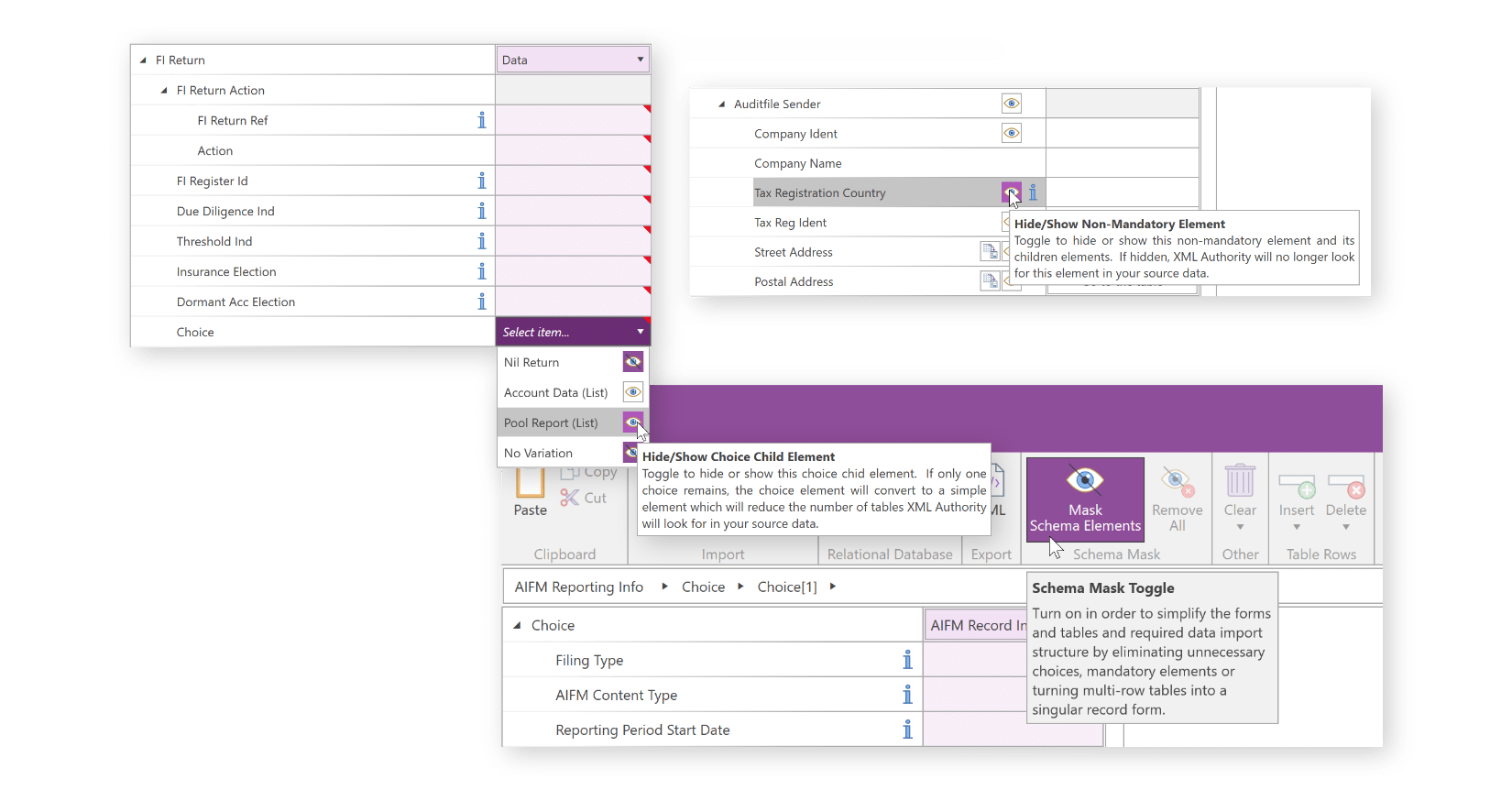
Work with annotated forms and tables, highlighted mandatory fields and guidance tooltips. Hide optional fields that are not relevant to your working template.
Country-by-Country reporting · XML Authority
For multinational reporting teams bringing jurisdiction-level information together, XML Authority turns the selected CbCR schema into clear forms and tables.
Built around your reporting work
Review jurisdiction-level data in a structured template, bring in information from existing workbooks and generate the XML file for your filing process.
Try XML AuthorityChoose the relevant OECD or local CbCR schema and review the fields needed for your reporting destination.
Reuse a reporting template for future periods, while reviewing changes to the applicable schema and local requirements.
Prepare · validate · generate
Work with annotated forms and tables, highlighted mandatory fields and guidance tooltips. Hide optional fields that are not relevant to your working template.
Populate your template and, with the appropriate edition, import from Excel or connect to relational databases. Reuse the template rather than starting from scratch.
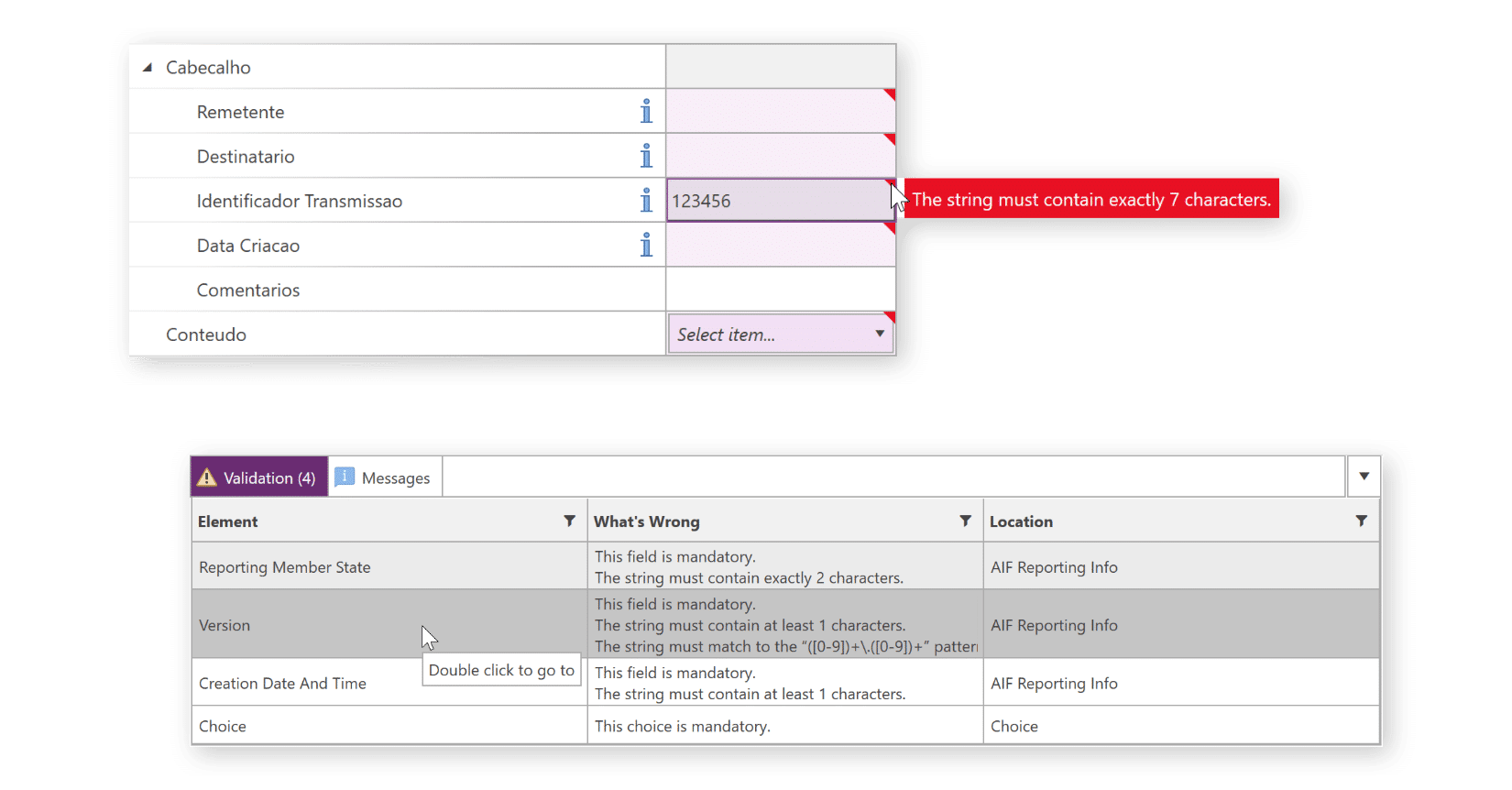
Validation messages help locate issues against the selected schema. Correct them and generate the XML file for your established submission process.
Clear responsibilities
XML Authority supports preparation and XML generation. Your team remains responsible for deciding what is reportable, reviewing the underlying data and completing the filing through the appropriate channel.
Confirm the schema and workflow you need in a demonstration before selecting your licence.
Discuss your reporting requirementsYes. XML Authority can support the OECD CbCR XML schema and can also support local country-specific CbCR schema variants where required.
Because XML Authority is schema-driven, it can work from the relevant XSD schema selected for the reporting obligation.
Yes. XML Authority can help structure Country-by-Country Reporting data according to the selected CbCR schema, including the reportable information represented in Table 1, Table 2 and Table 3.
The software presents the schema as structured templates, making it easier for teams to prepare and review the required reporting data before generating the XML file.
Yes. XML Authority validates CbCR XML against the selected schema before the final XML file is generated.
It checks XML structure, mandatory fields, data types and required formats so issues can be identified before filing.
Yes. XML Authority is designed for compliance, tax, finance, reporting and IT teams that need to generate XML reports without manually working inside XML files or schemas.
The software turns complex CbCR schemas into structured templates, helping non-technical users prepare, validate and generate XML reports with less reliance on developers.
No. Confirm your obligations and reporting judgments with your compliance team or advisers. XML Authority provides a schema-driven preparation and XML generation workflow.
Essential provides schema-based preparation and XML generation. Professional adds Excel and XML import. Enterprise adds relational database import. Tell us about your data sources, users and service-provider requirements so we can recommend the appropriate licence and provide a quote.
Yes. Templates support recurring preparation, but you should confirm the schema version and local requirements before reuse. Schema changes may require your template and data process to be updated.
No. Schema checks address the selected XML structure and data requirements. Authorities may apply additional validation and filing rules. Your team must complete the submission and review the response.